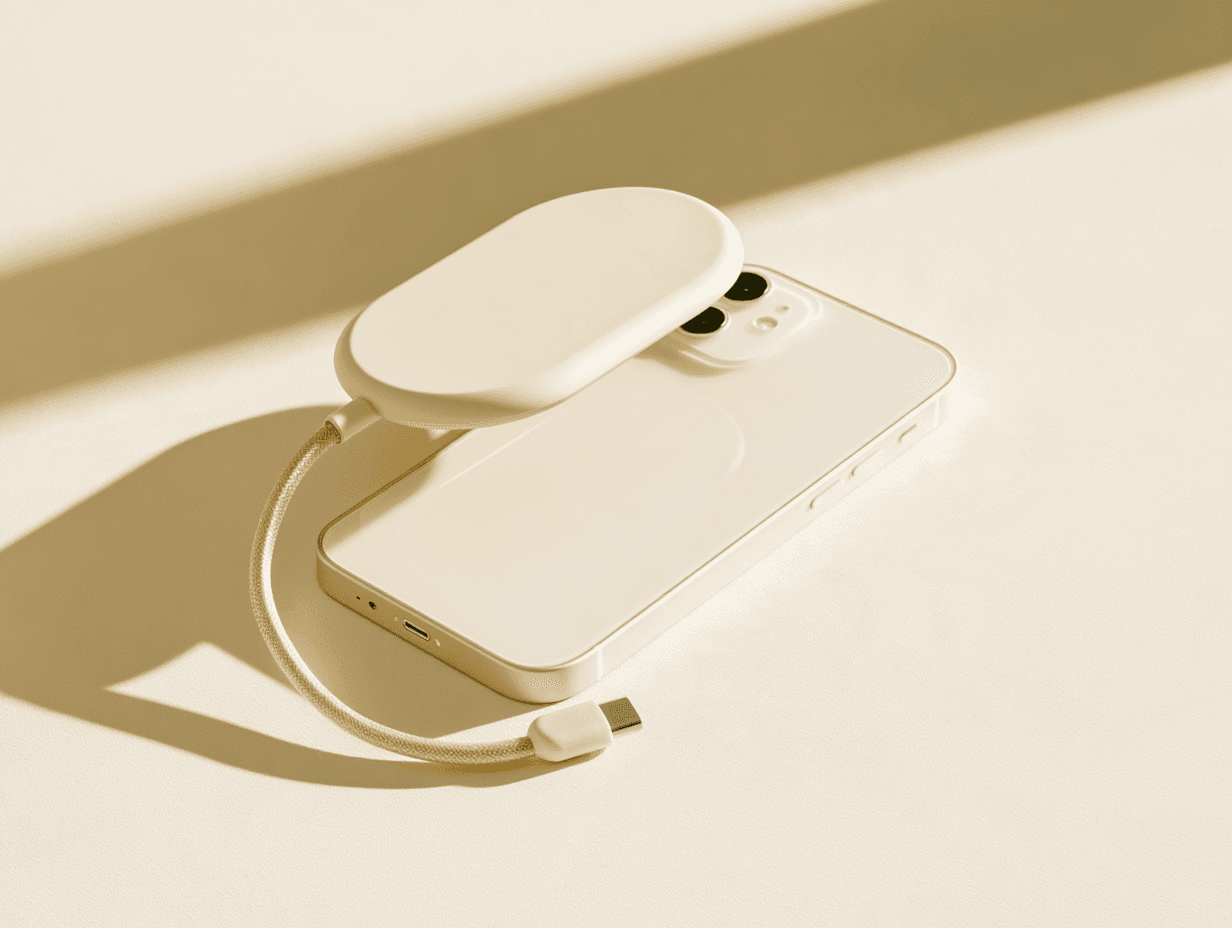
Free up your phone.Keep every photo.
mote snaps onto the back of your iPhone. Plug in its cable and move photos and videos off your phone.
1 TB or 2 TB · MagSafe · From $199, paid once
From full to free, in three steps.
Move all your photos in one go.
No picking files one by one. No copying them across by hand. No deleting them one at a time. mote moves them for you, and you just confirm.
[ App screen: choosing everything, or just some, to move ]
Storage shouldn’t be a subscription.
| Feature | New iPhone | iCloud | Photo drive | mote |
|---|---|---|---|---|
| Pay once | Yes | No | Yes | Yes |
| Keep your phone | No | Yes | Yes | Yes |
| Photos stay with you | Yes | No | Yes | Yes |
| Cable built in | Doesn’t apply | Doesn’t apply | No | Yes |
Tech specs.
Questions before you join.
When does it ship?
Batch 1 is planned for Q1 2027. Waitlist members get the first units, in signup order.
How much will it cost?
$199 for 1 TB and $299 for 2 TB, paid once. No subscription.
Will it work with my iPhone?
We’re starting with iPhone, and Android is planned. Tell us your exact model when you join. We’ll list the supported models before you can order, so you’re not finding out after it arrives.
Will it stay on with my case?
mote holds on with MagSafe magnets. It needs a flat, magnetic back: a bare iPhone or a MagSafe case. Thick or non-magnetic cases can weaken the hold or block it.
Why not the existing magnetic SSDs?
You can use one. Their reviews often mention stiff cables that break, magnet rings that lose their stick, and apps built for backups, not for freeing up space. mote’s cable is built in, and its app is being built for one job: moving photos and videos off your phone.
Why not just pay for iCloud?
You can. But it’s a bill every month for photos you already have, and your photos live online. mote is paid once, and your photos stay with you.
Do I need an app?
Yes, the mote app and a mote account. iPhone doesn’t let an accessory take photos out of the Photos app by itself, so the app does the moving. We’re designing it to ask for access to your photos, not your contacts or anything else. No subscription.
Does it move my photos, or just copy them?
Both, in two steps. mote copies your photos and videos across first. Then you delete them from your phone, and iPhone asks you to confirm. That’s what frees up the space. Nothing is deleted until you say so.
How do I know it’s safe to delete photos from my phone?
We’re building mote to check every photo and video after it’s copied, so you know they’re there before you free up space. Until mote is in your hands, the advice is the same as for any drive: keep a second copy of anything you can’t replace.
Will my photos keep their dates, Live Photos and order?
That’s the plan, and it’s one of the first things we’re testing: original dates, Live Photos and videos copied as they are, in order, without duplicates. We’ll confirm exactly what’s kept before you can order.
How long does it take to move thousands of photos?
We don’t have real numbers yet, and we won’t guess. We’ll test with big libraries, tens of thousands of photos, and publish real times before you can order.
What if my battery dies or it stops halfway?
We’re building mote to pick up where it left off, so you don’t start again. Charging is still being worked out: the cable uses your charging port and mote covers the wireless charging area. For now, start a big move with a charged phone.
Does it get hot?
Heat during long transfers is a common complaint about magnetic SSDs, so we’re testing for it. We’ll share the results before you can order.
I’m not very techy. Will I manage?
That’s who we’re designing for. You snap it on, plug in the cable, open the app and sign in. Before you can order, we’ll show every setup step here, so you can see exactly what it takes.
What if the mote app ever goes away?
We’re building mote to save your photos and videos as ordinary files, so you can still open them without our app. We’ll confirm the file formats before you can order.
What happens to my files if I lose it?
If mote is lost, the files on it go with it, the same as a lost phone. Keep a second copy of anything you can’t replace.
Does joining the waitlist cost anything?
No. Joining is free, there’s no deposit, and you can leave the list any time.